EQUIPMENT / PRINCIPLE / DESIGN

Pad printing station

Transfers an image from the printing plate to the part surface through a flexible pad, suited to local and curved markings.

Equipment principle & structureRequest design help ↗
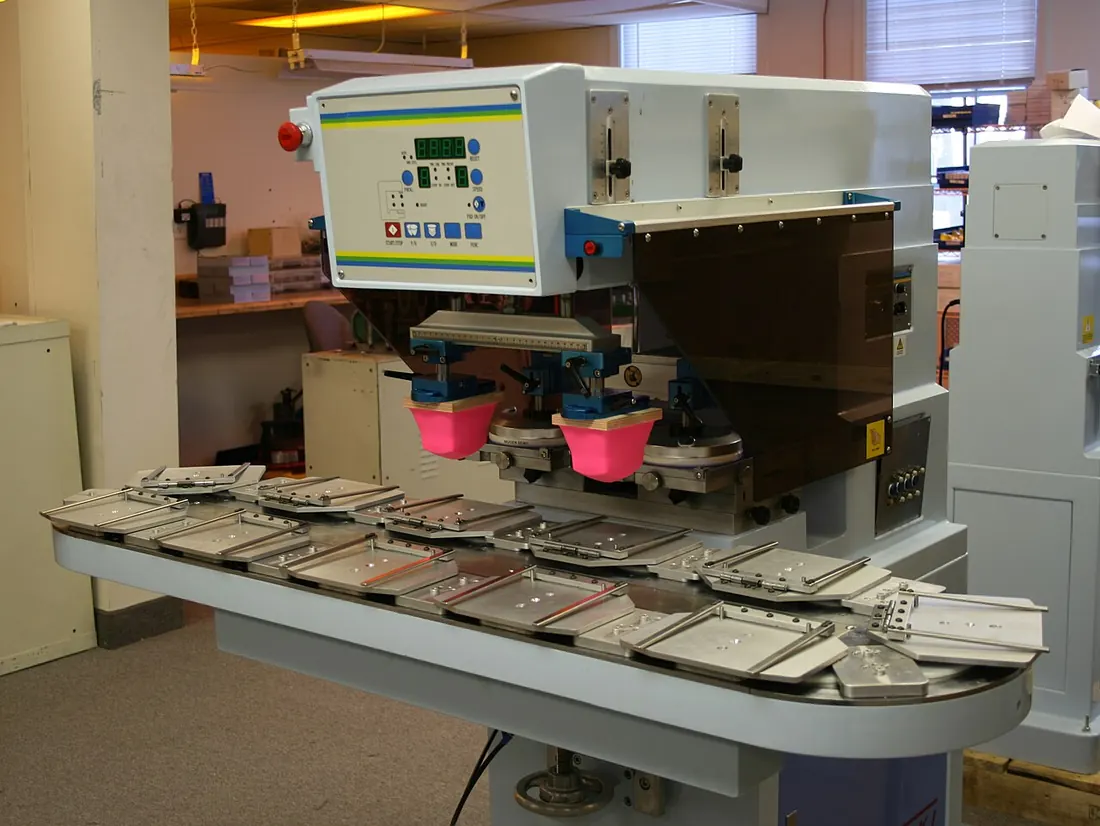
Pad printing station · Real machine photo
Pad printing station · Real machine photo · Source: Wikimedia Commons ↗ · by C.andersson · CC BY-SA 3.0 · Resized and converted to WebP
Pad printing station · original schematic, not to scale; shows the working principle and modules
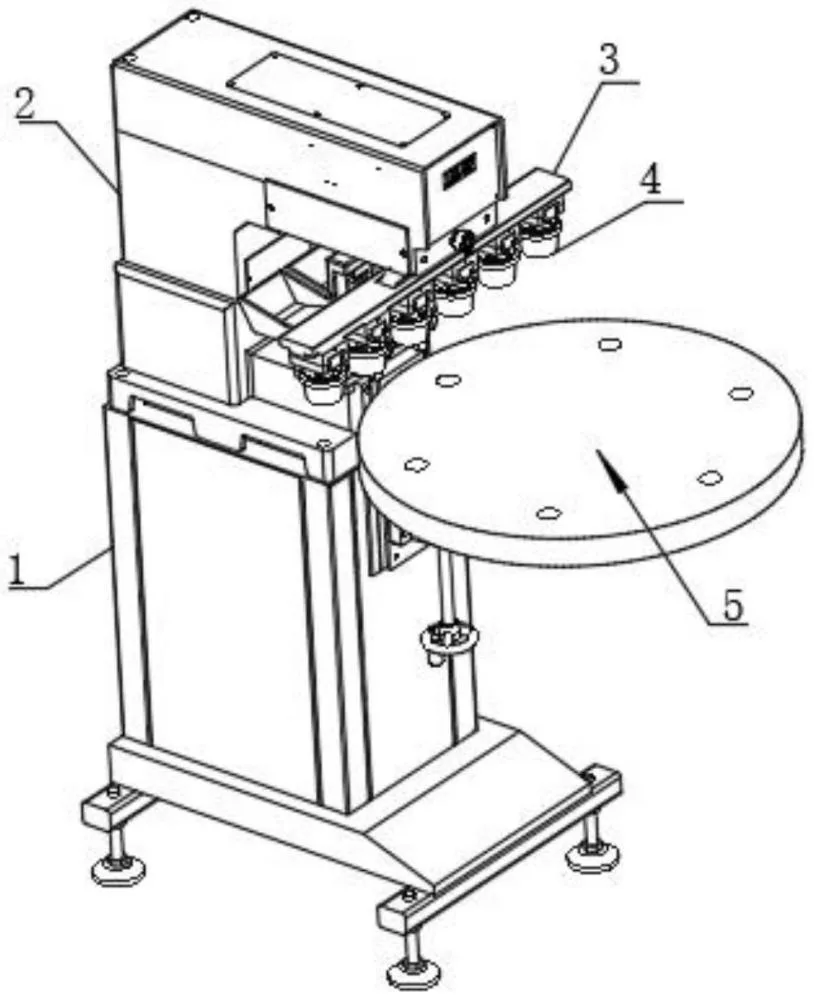
Six-colour pad printer (patent): eight pads on the beam, eight-station dial
Six-colour pad printer (patent): eight pads on the beam, eight-station dial · Application No. 202421648792 · Original patent drawing · Resized proportionally with the original mark retained
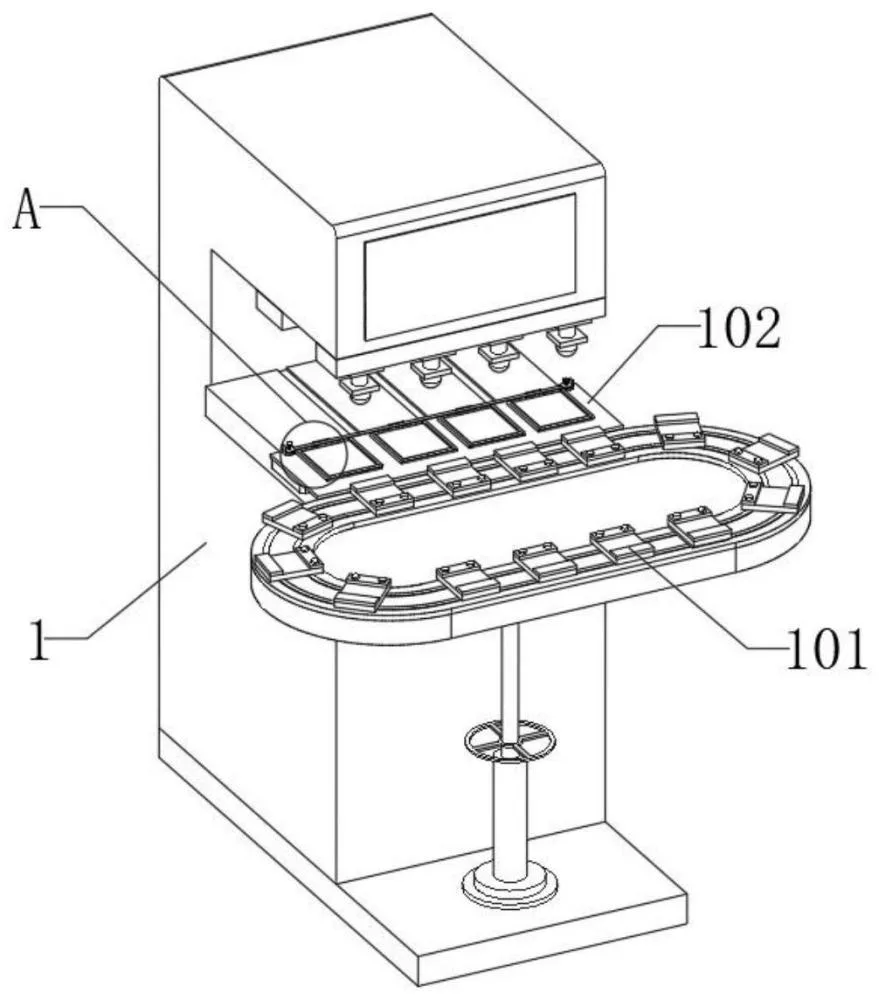
Rotary multi-station pad printer (patent): five pads in a row over an oval carousel
Rotary multi-station pad printer (patent): five pads in a row over an oval carousel · Application No. 202420472302 · Original patent drawing · Resized proportionally with the original mark retained

What it does

Transfers an image from the printing plate to the part surface through a flexible pad, suited to local and curved markings.

How it works

Ink fills the etched image of the cliché, a doctor blade or sealed ink cup removes excess from the plate, the silicone pad presses on the image to pick up ink, then moves to the located part and presses to release the ink film. Pad shape and deformation govern how contact spreads, and ink solvent evaporation affects pick-up and release.

Process sequence

  1. Locate the part
  2. Ink and doctor the plate
  3. Lower the pad to pick up
  4. Lift and move to the part
  5. Print and release
  6. Return and inspect

Key inputs

  1. Image size, ink film and ink system
  2. Substrate surface and pretreatment
  3. Pad shape and hardness, compression and evaporation time

Common problems

  1. Incomplete pick-up or residual ink
  2. Bubbles, ghosting and stretch on curves
  3. Loose fixtures, worn blades and ink viscosity drift

Limits of application

  1. Pad printing differs from screen printing and thermal transfer
  2. A flexible pad conforms to curves but does not remove concerns about distortion on steep slopes, adhesion and curing

Functional modules

Inked cliché

Holds and meters image ink

Doctoring system

Removes ink from non-image areas

Silicone pad

Picks up and prints the ink

Part fixture

Holds position and takes print force

Manufacturer & technical sources

Continue with manufacturer product pages, operating principles and technical information for this equipment type.

ONLY ON MECHWIKI / AGGREGATED

Aggregated references: models, makers, patents & videos

References scattered across model articles, vendor sites and patent databases, gathered under this machine. Checked items are listed; the rest are offered as ready-to-open searches.

Patents: how others built it

Patents are useful for drawings and mechanism ideas. None has been vetted for this entry yet, so here are searches pre-filled with the machine name.

Videos: see it run

No licensed video is hosted for this machine yet; these searches are pre-filled with its name.

3D MODELS

3D models and download information

Explore structure and assembly with models. Download methods, file formats and terms are provided by the original article or mini program.

Find more in the model library →